
Key Takeaways
- An education CRM centralizes prospect, student, admissions, and communication data.
- Core capabilities include lead management, admissions, engagement, automation, analytics, and role-based access.
- Important integrations include SIS, LMS, payment gateways, ERP, communication, marketing, and identity systems.
- Common use cases include recruitment, enrollment, student support, retention, and alumni engagement.
- AI can support lead scoring, personalization, segmentation, and predictive insights.
- A phased implementation can simplify migration, testing, training, and adoption.
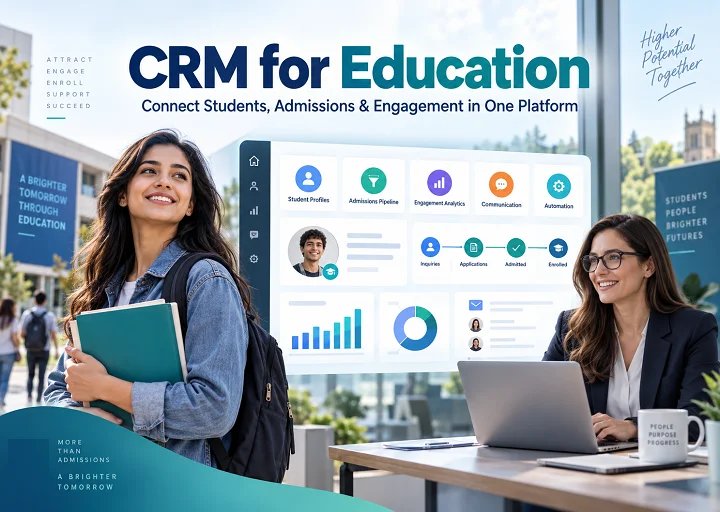
Managing the student journey becomes difficult when admissions, marketing, counseling, enrollment, and support teams use disconnected systems. Important information may be spread across spreadsheets, emails, SIS platforms, and other applications.
A well-designed CRM for education brings these interactions into one connected environment. It helps teams manage student relationships, automate routine follow-ups, improve communication, and make better-informed decisions.
Modern education CRM solutions can also incorporate AI for lead scoring, student segmentation, personalized engagement, and predictive analysis.
According to the source material, the global education CRM market is expected to reach $7.6 billion by 2034, supported by cloud adoption, AI capabilities, personalization, and growing integration with SIS and LMS platforms.
Join the 88% of US Institutions Using CRM
Create an education CRM that connects admissions, communication, student engagement, and daily workflows while reducing unnecessary manual work.
Build Your Education CRM
How Does CRM Work in Education?
An education CRM connects student information, communication, workflows, and institutional systems in one platform.
Admissions, academic, administrative, and student support teams can view interactions, manage tasks, track applications, and coordinate follow-ups from initial inquiry through enrollment and beyond.
For example, when a student submits an inquiry, the CRM can create a profile, assign a counselor, trigger follow-up communication, record interactions, and track progress toward application and enrollment.
Key Features of an Education CRM
A modern education CRM software platform may include:
Student and prospect management: Maintain profiles, academic details, interests, communication histories, and notes.
Admission and enrollment management: Track students from inquiry through application, admission, acceptance, and enrollment.
Lead nurturing for multiple channels: Capture inquiries from websites, campaigns, events, calls, and other sources and route them to appropriate counselors.
Communication management: Manage email, SMS, calls, notifications, and interaction histories.
Student engagement tracking: Monitor interactions, events, support requests, and engagement signals.
Application and document management: Manage forms, submitted documents, pending information, and application status.
Automated workflows and notifications: Trigger reminders, assignments, alerts, and follow-up communication.
Reporting and analytics: Monitor inquiries, applications, enrollment, conversion, and student engagement.
Parent/Guardian communication: Maintain relevant communication where appropriate.
Role-based access and data security: Limit system and data access according to user responsibilities.
Essential Integrations for an Education CRM
An education CRM delivers more value when it connects with existing institutional platforms.
Student Information System (SIS)
SIS integration can synchronize student profiles, enrollment details, courses, contact information, and academic data, reducing repetitive manual entry.
Learning Management System (LMS)
LMS integration can provide relevant course participation and learning activity alongside CRM records, giving advisors more context about student engagement.
Email and Communication Platforms
Email, SMS, calling, and messaging integrations allow teams to manage communication while maintaining an organized interaction history.
Payment Gateways
Payment integration can connect application fees, tuition payments, refunds, and transaction statuses with relevant student records.
Marketing Automation Tools
Marketing integrations help institutions track inquiry sources, campaign activity, website engagement, and prospect behavior.
ERP and Accounting Software
ERP integrations can connect appropriate financial information, including fees, invoices, payments, and refunds.
Video Conferencing Platforms
Video integrations can support admissions interviews, counseling, remote meetings, and virtual student events.
Identity and Authentication Systems
Single sign-on, multifactor authentication, and role-based permissions can help institutions manage secure platform access.
APIs and Third-Party Applications
APIs allow the CRM to connect with assessment tools, career platforms, internal portals, libraries, and other specialized applications.
CRM for Education: Use Cases and Examples to Consider Before Adoption
An education CRM can support recruitment, admissions, communication, student services, engagement, and retention.
Student Recruitment and Admissions
Admissions teams can capture inquiries, assign counselors, track applications, and manage follow-ups in one platform.
Iowa State University uses Salesforce technologies for prospective student recruitment. According to the source material, the university reported a 25% increase in business productivity and significant increases in targeted email activity.
Student Engagement and Retention
Connected student information can help advisors identify changing engagement patterns and determine when additional support may be appropriate.
Crowder College uses Anthology Reach to connect admissions and student retention data. The source reports an 11% increase in summer enrollment following adoption.
Student Recruitment and Admissions
Education CRM platforms can also consolidate multiple recruitment systems.
Olivet Nazarene University selected Ellucian CRM Recruit and reportedly consolidated two CRM databases, generated nearly $1 million in savings, and achieved a 25% increase in new students.
Lead Tracking & Nurturing
Prospects may interact with campaigns, events, counselors, and academic departments before applying.
A CRM brings these touchpoints together so counselors can understand previous interests and interactions.
St. John Fisher University uses Slate for recruitment communication, applicant portals, and analytics. The source reports a 2.4% increase in applications associated with its campaigns.
Application and Enrollment Management
CRM platforms can connect applications, documents, communication, and enrollment activities.
University of Salford adopted Microsoft Dynamics 365 and Power Platform to streamline admissions and created its first admissions portal in 10 weeks.
Ready to Put Education CRM to Work?
Bring student records, applications, communication, follow-ups, and support into one connected platform.
Benefits of CRM for Higher Education Institutions
Centralized Student Information
A CRM organizes inquiries, applications, documents, communication histories, and counselor notes in centralized profiles.
Respond Faster to Student Inquiries
Lead assignment, reminders, and workflow automation can help counselors follow up more consistently.
Personalized Student Communication
CRM data can help institutions tailor messages based on interests, application stages, and engagement history.
Minimized Manual Administrative Tasks
Automating status updates, reminders, assignments, and notifications gives teams more time for student-facing work.
Improved Admissions Conversion
Admissions teams can quickly identify incomplete applications, stalled prospects, and outstanding requirements.
Strengthened Cross-Department Collaboration
Shared information allows admissions, marketing, counseling, and student services teams to work from consistent records.
Track Student Engagement
CRM platforms can track interactions across email, applications, events, meetings, and support requests.
Support Student Retention
Engagement data can help teams identify students who may require additional communication or support.
Improve Enrollment Forecasting
Historical inquiry, application, and enrollment data can support planning and resource allocation.
Strengthen Marketing Campaigns
Institutions can segment prospects according to interests, location, application stage, and engagement.
Automate Follow-Ups
Automated reminders can be triggered by inquiries, applications, document submissions, events, or missed actions.
Simplify Application Tracking
Admissions teams can view application status, pending documents, review stages, and enrollment decisions from one interface.
Improved Reporting and Decision-Making
Dashboards can combine recruitment, application, enrollment, engagement, and campaign metrics.
Manage Parent and Guardian Communication
Authorized communication with parents or guardians can be maintained alongside relevant student records.
Maintain Better Data Quality
Standardized fields, validation rules, and centralized records can reduce duplication and improve information accuracy.
How to Implement a CRM Successfully in an Education Business
Successful implementation begins with understanding workflows, systems, data, and user requirements.
Identify Clear CRM Goals and Business Requirements
Define what the CRM should improve, such as recruitment, admissions, engagement, communication, reporting, or administrative efficiency.
Map the Complete Student Lifecycle
Document the journey from inquiry through enrollment, engagement, graduation, and alumni communication.
Select a CRM that Aligns to Your Institution
Evaluate platforms based on workflow requirements, integrations, security, scalability, automation, reporting, and ownership costs.
Organize and Clean Existing Student Data
Remove duplicates, standardize fields, correct incomplete records, and establish data ownership before migration.
Embed CRM into the Current Systems
Connect relevant SIS, LMS, payment, ERP, marketing, and communication systems.
Set up Workflow around Real Processes
Configure workflows around the institution’s actual admissions, enrollment, counseling, and support processes.
Assign Users to Roles & Data Access
Provide each user with the information and functionality required for their responsibilities.
Test Every Workflow Before Going Live
Test integrations, migration, permissions, notifications, reporting, and automation under realistic scenarios.
Launch in Phases and Monitor Adoption
Start with a department or workflow, monitor performance, gather feedback, and refine the system before broader rollout.
Take the Guesswork Out of CRM Implementation
Define workflows, integration requirements, migration priorities, and adoption goals before launch.
Challenges of Adopting an Education CRM and How to Address Them
| Challenge | Solution |
| Scattered Student Data | Clean, standardize, and centralize records before migration. |
| Complex System Integrations | Map existing platforms and connect them through supported integrations or APIs. |
| Staff Resistance | Provide role-based training and involve users in workflow design. |
| Complex Student Workflows | Configure CRM processes around actual student lifecycle stages. |
| Data Privacy Concerns | Apply authentication, role-based permissions, encryption, and appropriate controls. |
| High Implementation Costs | Prioritize essential workflows and use phased implementation. |
| Poor Data Quality | Establish validation, ownership, and data standards. |
| Low User Adoption | Keep workflows practical and monitor usage after launch. |
| Unclear CRM Performance | Define measurable KPIs before implementation. |
Why Partner with Etelligens for Education CRM Development
Education institutions need more than a database. They need a CRM that connects admissions, communication, student engagement, counseling, administration, and existing technology systems.
Etelligens provides education CRM development services covering requirements analysis, architecture, UX, custom development, integrations, workflow automation, analytics, AI capabilities, testing, and cloud deployment.
Our experience across education platforms and digital products provides exposure to different student journeys, engagement models, and technology requirements, including work associated with Gurushala, Nova, Bada Business, and Dr. Reddy’s.
Combined with experience in APIs, cloud engineering, data engineering, enterprise integration, and product development, this enables us to design CRM solutions around real operational requirements rather than forcing institutions to adapt to rigid software.
Whether you need to improve an existing CRM, connect disconnected education systems, automate admissions, or build a custom platform, Etelligens can help translate your requirements into a scalable solution.
Planning an education CRM initiative? Talk to our experts about your workflows, integrations, automation requirements, and development goals.
Frequently Asked Questions